Click to WhatsApp ads for hotels: how the 72-hour free window works
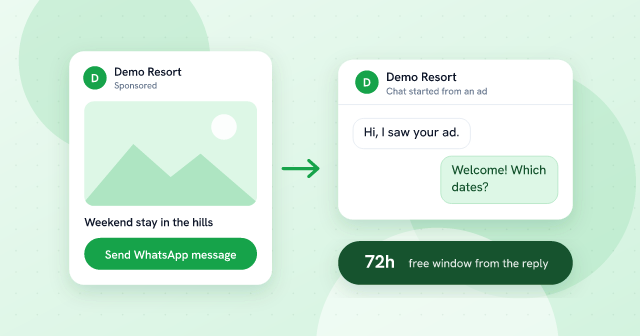
When a guest starts a chat from a Click to WhatsApp ad, Meta gives you a free window if you reply within 24 hours. The 72 hours count from your reply, and as of November 2026 Meta says messages sent in that window are free. The ad itself is a separate cost, and the window ends after 72 hours.

The short answer: when the 72-hour free window opens
Meta calls it a free entry point. It is a chat a WhatsApp user starts with your business from a Click to WhatsApp ad or a Facebook Page call-to-action button, according to Meta's WhatsApp Business Platform pricing page. These are the only two entry points that page names. The guest must send the first message from WhatsApp's Android or iOS app. Meta says its desktop and web apps are not supported for this.
The window does not open on its own. When the guest messages you, the normal 24-hour customer service window opens. If you reply within those 24 hours, with any type of message, that reply is free and the 72-hour free window opens. The 72 hours count from the moment you replied, not from the guest's first message.
As of November 2026, Meta's update page on service and utility messages says marketing, utility, authentication and service messages are all free during the 72 hours. It describes the window as unchanged for message delivery. This covers WhatsApp message charges only. The ad is paid separately through Meta ads.
Why the free window matters more since 1 October 2026
According to the same Meta update page, from 1 October 2026 Meta charges per message for all service messages. These are the free-form replies you send inside the 24-hour window, and they had been free since 1 November 2024. Utility templates sent in reply to a customer inside an open 24-hour window are also charged from 1 October 2026. They had been free since 1 July 2025.
Messages sent inside a free entry point window stay free to deliver, per Meta's page. That makes chats started from a Click to WhatsApp ad or a Facebook Page button the routes where a hotel's follow-up messages carry no WhatsApp message charge for 72 hours. Meta's update page does not mention any free monthly allowance of service messages, so plan as if every service message outside the free window is charged.
One caution on sources. Meta's main pricing page was last updated on 30 March 2026, before this change, and still says non-template messages are free. The newer update page is the one to follow. For the rules on messaging a guest once 24 hours have passed, see our post on messaging a customer after 24 hours.
What the 72 hours cover, and what they don't: a quick table
| Situation | WhatsApp message charges | Source |
|---|---|---|
| Guest starts a chat from a Click to WhatsApp ad and you reply within 24 hours | No charge for messages sent during the 72 hours that start at your reply | Meta pricing page and update page |
| Guest starts a chat from a Facebook Page call-to-action button and you reply within 24 hours | Same as above | Meta pricing page and update page |
| Guest messages you from the ad but you do not reply within 24 hours | No free window opens; you must use a paid template to reach the guest | Meta conversation-based pricing page (deprecated version) |
| Guest sends the first message from WhatsApp desktop or web | Not supported as a free entry point | Meta pricing page |
| You message the guest after the 72 hours end | The usual charges apply again | Meta update page |
The third row comes from Meta's older conversation-based pricing page, which is marked deprecated. Nothing on the current page contradicts it. Meta's pricing pages do not mention chats started from Instagram ads, website links or QR codes. We cannot say they are free or not free, so they are left out of the table.
The ad budget is a separate cost. This window does not reduce it. Meta's Click to WhatsApp ads page says these ads are billed when the ad is shown to people. WhatsApp message charges are billed per delivered message, according to Meta's pricing page.
How to set up a Click to WhatsApp ad for your hotel, step by step
Meta's Business Help Centre page, How to connect or disconnect your Page and WhatsApp, gives the path below for connecting your number from Ads Manager. Screens change from time to time, so follow what you see in Ads Manager if it differs.
- Open Ads ManagerSign in to the Meta account that owns your hotel's Page and go to Ads Manager.
- Create a campaign with a suitable objectiveClick Create and pick an objective that supports WhatsApp. Meta's page lists Messages, Conversions and Traffic as examples.
- Choose your business PageSelect the Facebook Page of your hotel or resort.
- Find WhatsApp under Message destinationsAt the ad set level, look for WhatsApp under Message destinations.
- Click Connect accountThis starts linking your WhatsApp Business number to the ad.
- Enter your number and verify itType in your WhatsApp Business number and complete the verification Meta asks for. You then finish the audience, budget and ad creative the way you would for any Meta ad.
Meta's developer page for these ads says the default message a guest sees is "Hello! Can I get more info on this?". You can replace it with a custom greeting and a pre-filled message. For a hotel running a New Year ad, a pre-filled message such as "Hi, rooms available for 28 Dec?" opens the chat on the offer the guest saw, so your first reply can go straight to dates and rates. We found this option documented only on Meta's developer page for building ads through its API, so look for the matching field in Ads Manager rather than expecting a fixed menu name.
We do not give ad prices here. What you pay depends on your own budget and bidding in Ads Manager.
Reply fast: what a good first reply inside the window looks like
The free window starts only when you reply, and a guest who tapped an ad is interested right now. Below is a sample conversation with a demo resort. A guest writes in Hinglish at 10:42 PM, asking for 2 rooms for a family of 4. The agent quotes, confirms the dates and sends a booking link, and the lead is captured. It is a sample, not a real guest, and it is not an example of an ad-started chat.
Kal 2 rooms available hain? Family of 4
Namaste! Haan, kal ke liye 2 Deluxe rooms available hain - ₹4,500/night with breakfast. Check-in kis date ko chahiye?
25 Sept, 2 nights
Perfect: 25–27 Sept, 2 Deluxe rooms, 4 guests. Booking confirm karne ke liye ₹2,700 advance UPI ya bank transfer se bhejiye - details neeche hain 👇 Payment ka screenshot yahin share kar dijiye.
- Lead captured · Room inquiry · ₹9,000
In English, the guest is asking whether 2 rooms are available for a family of 4 on their dates. Guests write the way they speak. Typical Hinglish questions look like "Kal room milega?", which means "Is a room available tomorrow?", and "Price kya hai?", which means "What is the price?". Your reply should match the language the guest used.
- Answer the exact question asked. If the guest asks about rooms for 28 December, do not reply with a general brochure.
- Quote a real rate for the room type and the number of guests, and say what is included.
- Confirm the check-in and check-out dates and the guest count in one line, so mistakes show up early.
- Send the booking link in the same reply or the next one.
- Reply in the language the guest used.
Using the 72 hours well, and what to send after they end
While the window is open, use it for the questions that usually decide a booking: dates, payment and check-in details. Meta does not charge for these messages during the 72 hours. The two windows run separately. Once the 24-hour customer service window closes, you can only send templates, though per Meta they stay free until the 72 hours end.
After the 72 hours, the usual billing rules apply. To reach a guest after the 24-hour customer service window you need an approved template. Our posts on messaging a customer after 24 hours and on getting templates approved in the right category cover that. For the wider picture of turning chats into stays, see direct hotel bookings on WhatsApp.
Be clear about what the window does not do. It cuts message charges, not ad spend. A slow reply can also waste the click you paid for, and if you do not reply within 24 hours no free window opens at all.
Frequently asked questions
Does the 72-hour window start when the guest taps my ad?
No. Per Meta, the guest's first message opens the normal 24-hour window. If you reply within 24 hours, that reply is free and the 72 hours count from the moment you replied.
Are Click to WhatsApp ads themselves free for 72 hours?
No. The window covers WhatsApp message charges only. Meta bills the ad when it is shown to people, so your ad budget is a separate cost.
What happens if I do not reply within 24 hours?
No free window opens. Meta's older pricing page says you then have to message the guest with a paid template.
Do chats from Instagram ads, website links or QR codes get the free window?
Meta's pricing pages name only Click to WhatsApp ads and Facebook Page call-to-action buttons as free entry points. They do not say anything either way about the others, so check Meta's current pages before assuming.
Is a service message free after 1 October 2026?
Not in general. Per Meta's update page, service messages are charged per message from 1 October 2026. Messages sent inside a free entry point window remain free.
Sources
Keep reading
 WhatsApp
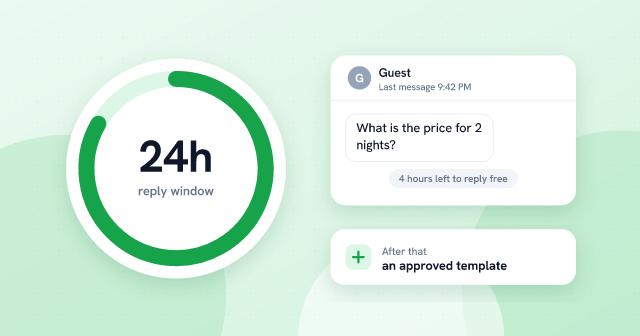
How to message a customer after 24 hours on WhatsApp
Count the 24-hour WhatsApp window correctly, write a follow-up template Meta can approve, and know what a follow-up costs since 1 October 2026.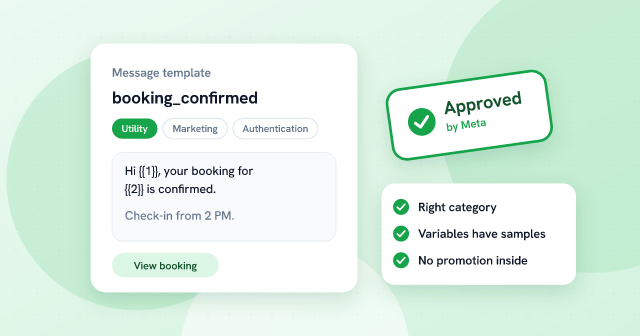 WhatsApp
How to Get WhatsApp Templates Approved in the Right Category
Hotel template wordings sorted into utility, marketing and authentication, with fixes for rejections, the 60-day review window and the billing impact.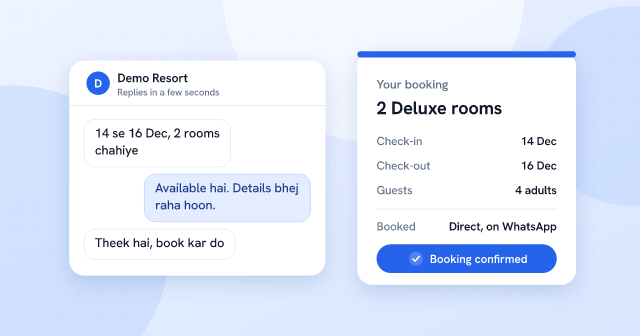 Hotels & bookings
Direct Hotel Bookings on WhatsApp: A Step-by-Step Path
A practical path for 10-30 room hotels: share your WhatsApp number, answer fast with a full quote, take payment, then follow up within Meta's rules.Get started now. Live in minutes.
Put an AI agent on your WhatsApp, Instagram and website, and let your team take over any chat.