How to avoid double booking in your hotel when guests book on WhatsApp and phone
A direct booking becomes a double booking when you promise a room in chat or on a call before it is recorded in your PMS. The fix is a routine: check the PMS before you quote, hold the dates, verify the payment, enter the booking, and only then send the confirmation. No routine removes the risk completely, but this one closes the biggest gap.

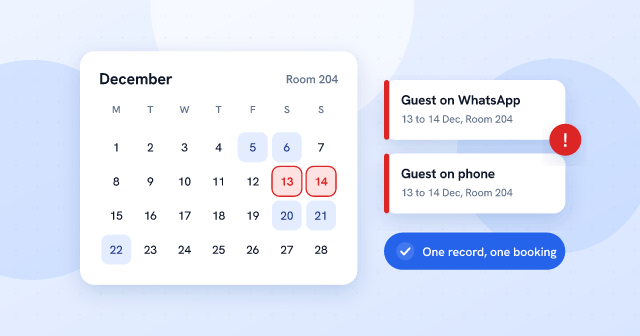
The short answer: one source of truth, and confirm only after it is recorded
Most advice on double bookings is about keeping OTA listings in sync. That matters, but it is only half the problem. The other half sits at your own front desk: a guest asks for a room on WhatsApp or by phone, someone says "yes, available", and the booking is typed into the PMS hours later, or never.
A room is sold twice when it is promised somewhere other than the system that holds your inventory, usually your PMS. So the rule is simple. Nobody says "confirmed" until the booking is in the PMS. The routine below turns that rule into five steps your staff can follow from today.
One honest limit: this routine covers bookings you take yourself on WhatsApp and phone. Walk-ins and OTA bookings also need your channel setup to be correct, and this post only touches on that. If your OTA availability is not updated correctly, a perfect WhatsApp routine will not save you.
Where WhatsApp and phone double bookings usually come from
The causes are ordinary habits, not bad luck. Look at this list and tick the ones that happen at your property:
- Rates and availability quoted from memory or from an old rate sheet.
- Two staff members replying from different phones to the same guest, or offering the same room to two different guests.
- A booking agreed in chat but entered into the PMS later, when the shift changes or the rush ends.
- A payment screenshot checked hours after the guest was told "done".
- The word "confirmed" used before any payment has arrived.
There is also a night-time version. A guest sends an inquiry at 10:42 PM. The front desk is closed, so someone answers next morning without the full chat history, quotes from memory, and the room goes to another guest who called at 9 AM. Nobody was careless; the information was simply not in one place.
A shared team inbox helps with the two-phones problem, because everyone sees the same conversation and a human can take over any chat. That is a small part of the fix, though. The real protection is the order in which you do things, which is what the next section sets out.
A five-step booking routine for your front desk
Use this for every WhatsApp or phone booking, whether the inquiry comes at noon or at midnight. On a phone call, do steps 1 and 2 while the guest is still on the line.
- Open the PMS and check the dates before you quoteDo not answer from memory, a notebook or yesterday's chat. Look at the exact check-in and check-out dates in the PMS first.
- Quote only room types the PMS shows as free, at the rate it showsIf the PMS shows two Deluxe rooms free, offer Deluxe. If it shows none, do not offer it "just in case someone cancels". Use the rate the PMS shows, not the one you remember.
- Tell the guest the dates are held, not confirmed, until paymentUse the word "hold" for the period before payment. Keep "confirmed" for after the booking is recorded. Only promise a hold time if your hotel actually enforces one.
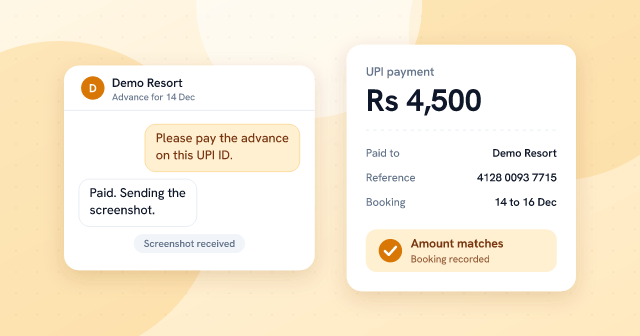
- Verify the payment in your bank or UPI app, not just the screenshotA screenshot shows what the guest says they sent. Your bank or UPI app shows what arrived. Check the amount and the sender before you move on.
- Enter the reservation in the PMS, then send the confirmation with the booking referenceRecord the booking first. Then send the confirmation message with the reference number from the PMS, so the guest and your team are looking at the same booking.
Add one rule on top: whoever records the booking also sends the confirmation. That way nobody sends a confirmation for a booking that is not in the system, and nobody enters a booking that someone else has already confirmed from their own phone.
Step 4 has its own details, such as how to read a UPI payment and what to do when it is pending. Those are covered in our guide to taking UPI payment on WhatsApp. For the wider picture of selling rooms directly, see direct hotel bookings on WhatsApp.
What to tell the guest at each stage, in English and Hinglish
The wording matters because it sets the guest's expectation. Short, clear lines also stop your staff from saying "confirmed" too early. The amounts and dates below are examples; use your own.
| Stage | English | Hinglish |
|---|---|---|
| Quote | Deluxe Room is free for 20 to 22 December at ₹4,500 per night. | 20 se 22 December ke liye Deluxe Room free hai, ₹4,500 per night. |
| Hold | Your dates are on hold. The booking is confirmed as soon as the payment is verified. | Aapke dates abhi hold par hain, payment verify hote hi booking confirm ho jayegi. |
| Payment request | Please send ₹9,000 by UPI to the number below. We will confirm once we see it in our account. | Booking ke liye ₹9,000 neeche diye UPI number par bhej dijiye. Hamare account mein dikhte hi hum confirm karenge. |
| Confirmation | Your booking is confirmed. Your booking reference is AB1234. | Aapki booking confirm ho gayi hai. Aapka booking reference AB1234 hai. |
Sometimes the PMS shows the dates are no longer free. Do not just say no. Offer the nearest option that works for the guest: "Sorry, Deluxe Room is not free on 20 to 22 December. It is free on 21 to 23 December, or I can offer a Family Suite for your original dates. Which would you prefer?" In Hinglish: "Maaf kijiye, 20 se 22 December ko Deluxe Room free nahi hai. 21 se 23 December free hai, ya aapke original dates par Family Suite mil sakta hai. Kaun sa theek rahega?"
Be honest about the hold. If your hotel does not actually keep dates blocked for a set time, do not tell the guest "held for 2 hours". Say "on hold" and keep the PMS entry consistent with what you promised.
How an eZee-connected WhatsApp agent records the booking
If your hotel runs eZee Absolute, SALIQ can do the quoting and the recording inside the same flow. This is how the connection works, as we describe it on the eZee Absolute WhatsApp integration page:
- Connect eZee AbsoluteYou connect SALIQ to eZee Absolute with your eZee Hotel Code and Auth Code.
- The agent answers from eZeeThe agent answers WhatsApp guests from the rooms free and the prices eZee shows, not from a rate sheet or from memory.
- The guest pays by UPI or bank transferThe guest sends the payment the way your hotel normally accepts it.
- Your team verifies the payment in SALIQA person on your team checks the guest's UPI or bank payment and verifies it in SALIQ.
- The booking is written into eZeeOnce the payment is verified, the booking is written into eZee as a confirmed reservation.
Here is how that maps onto the five-step routine. Step 2, quoting only what the PMS shows free, comes from eZee's live rooms and prices. Steps 4 and 5, verifying the payment and recording the booking, are tied together: the reservation is written into eZee once your team verifies the payment, not hours later when someone remembers to type it in. The payment check stays with your people.
This describes what happens in the flow; it is not a guarantee that a clash can never occur. Your OTA setup, walk-ins and manual entries still need the same care. For the wider picture of how SALIQ handles hotel inquiries on WhatsApp, see the WhatsApp booking agent for hotels.
If a room gets double booked anyway: what to do in the first hour
Even with a good routine, a clash can happen. What you do in the first hour decides whether you lose a booking or a guest's trust. Handle it as a person, not through an automated reply.
- Find out which booking was recorded firstCheck the PMS entry time, the payment time and the chat history. The guest whose booking was recorded and paid first normally keeps the room, but apply your own hotel policy.
- Call the affected guestPhone rather than message. A call lets you apologise properly and hear what the guest needs. Tell them plainly what happened and that you are calling to fix it.
- Offer real alternativesOffer another room type, other dates, or a full refund. Check the PMS before you offer anything, so you do not create a second clash while fixing the first.
- Keep a person on the conversationIf the guest messages on WhatsApp, a team member should reply. In SALIQ, your team can take over any conversation from the shared inbox, so the agent is not the one handling an upset guest.
- Find the skipped step and fix itOnce it is resolved, ask which step of the routine was skipped: an unchecked PMS, an early "confirmed", an unverified screenshot or a late entry. Fix that step, not just this one booking.
Frequently asked questions
Should I take a booking on WhatsApp before the payment arrives?
You can hold the dates, but call it a hold and not a confirmation. Confirm only after you have verified the payment and recorded the booking in the PMS. How long you hold dates is your own policy, and you should only promise a hold time you will actually keep.
Can two staff reply from one WhatsApp number without clashing?
Yes, if they work from a shared inbox, so both see the same conversation and history. In SALIQ, the team inbox lets humans take over any conversation, and the SALIQ Android app brings that inbox to your phone so you can step in, reply and hand it back. Still, agree that whoever records the booking also sends the confirmation.
What if I don't use eZee Absolute?
The five-step routine works with any PMS. The difference is that you enter the reservation by hand in step 5, so that step must happen before you send the confirmation.
How long should I hold dates for a guest who hasn't paid?
That is your hotel's own decision, based on how busy the dates are and how your guests usually pay. Pick a time you can enforce, tell the guest clearly, and release the dates in the PMS when it passes.
Keep reading
 Payments
How to take UPI payment on WhatsApp and verify it
Share your UPI details, wait, check the credit in your own bank app, then confirm the room in writing. A routine your front desk can follow from tomorrow.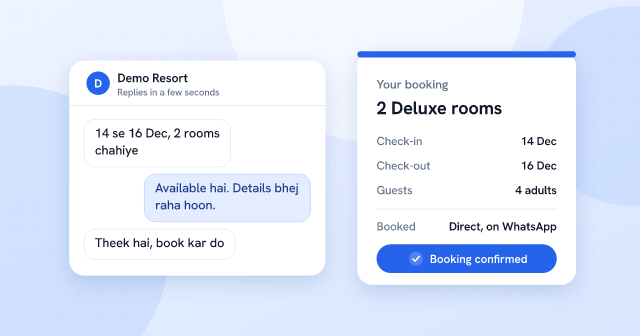 Hotels & bookings
Direct Hotel Bookings on WhatsApp: A Step-by-Step Path
A practical path for 10-30 room hotels: share your WhatsApp number, answer fast with a full quote, take payment, then follow up within Meta's rules.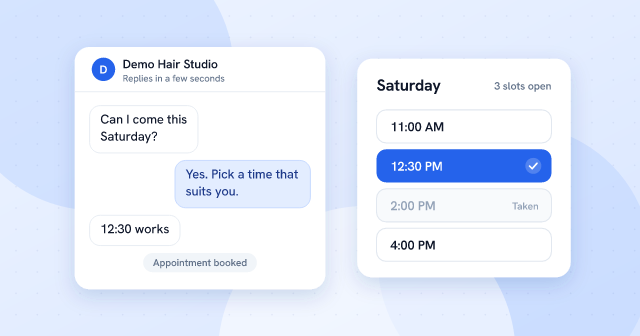 Hotels & bookings
Salon Appointment Booking on WhatsApp: Ready Replies
A practical routine for salon owners: details to collect, English and Hinglish replies, app setup, a sample booking chat and when to hand over.Get started now. Live in minutes.
Put an AI agent on your WhatsApp, Instagram and website, and let your team take over any chat.