How to take UPI payment on WhatsApp and check it before you confirm a booking
Send your UPI ID, QR code or bank details with the exact amount. Let the guest pay. Then check that the money has arrived in your own bank or UPI business app, and only after that send a written confirmation. The guest's screenshot only tells you they say they have paid.

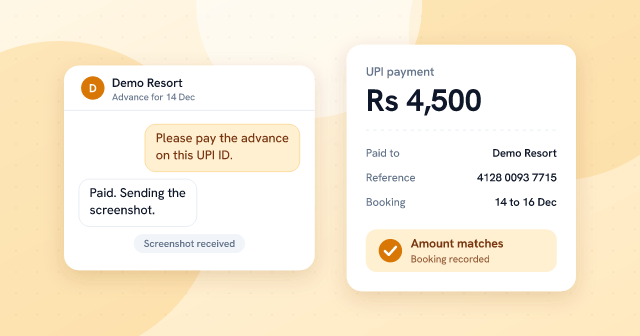
The short answer: share, wait, check your bank, then confirm
Taking a UPI advance on WhatsApp has four steps. Share, wait, check your bank, then confirm. You send your UPI ID, QR code or bank details with the exact amount. The guest pays. You look for the credit in your own bank or UPI business app. Only then do you send the booking confirmation.
The guest's screenshot is a notice that they say they have paid. It does not prove that money reached you. The room is held for the guest only when the credit shows on your side. Until then, the dates are on hold, not sold.
Name one person per shift who does the check, so it never becomes everyone's job and no one's job. This routine works with a plain WhatsApp Business number. You need no software for it, although software can keep the record tidy, as the last section shows.
What to put in the payment message you send the guest
A good payment message answers every question the guest would otherwise ask you in a second message. Send these details every time:
- Payee name, exactly as it appears in UPI, so the guest can match it before paying.
- UPI ID and, if you use one, the QR code.
- Bank account details, for guests who prefer a bank transfer or are paying a larger amount.
- The exact amount in rupees, and what it covers: advance or full stay.
- The dates you are holding, and the room type.
- A payment deadline, such as 'within 2 hours' or 'by 6 PM today'.
Ask the guest to write their name or check-in date in the payment remark. Also ask them to reply with the UPI reference number shown in their app after paying. That number is what you will match in your bank app.
Here is a message you can copy and edit: "Thank you for choosing us. We are holding a Deluxe room for 14 to 16 December 2026. Total stay: ₹13,500. To confirm, please pay an advance of ₹4,500 to [payee name], UPI ID [your UPI ID], or use the QR code above. Please add your name in the payment remark. After paying, reply with the UPI reference number from your app. The dates are held until 6 PM today. We confirm the booking in writing once the payment reaches our account."
A short Hinglish line for guests who write that way: "Payment ke baad UPI reference number bhej dijiye." It means: Please send the UPI reference number after paying.
Send the QR code as an image. Also send the UPI ID as plain text in a separate message. A guest using one phone cannot point their camera at a QR code on the same screen, and saving and uploading the image is an extra step. A UPI ID as text can simply be copied.
Why a payment screenshot is not proof of payment
A screenshot is only an image. It can be edited, reused from an older payment, or show a payment that failed or went to a different account. Nothing in the image tells you the money arrived at your bank.
A Moneylife report on a police case, where a man was arrested for using edited UPI screenshots to cheat shopkeepers, gives sellers the same advice: a screenshot is not proof of payment and does not show whether the money reached your account. The same report cites NPCI's advice that your UPI PIN is used only to authorise outgoing payments. So if anyone asks you to enter your PIN to receive money, stop.
We could not find an official NPCI or RBI page on fake screenshots, so treat that report as one secondary source. The rule it gives is simple, and you can test it yourself: your own bank app is the only record you control.
Front desks meet the same traps again and again:
- "I paid extra by mistake, please refund the difference." Never refund money you have not first seen arrive.
- A screenshot with no matching credit in your account.
- Pressure to confirm right now, usually from a guest standing at a busy reception or a caller who says the booking is urgent.
A 5-minute check before you confirm any booking
Print this and keep it at the front desk. The person on shift runs it for every advance, whether it is ₹2,000 or ₹20,000.
- Open your own bank or UPI business appUse your phone or the bank's credit SMS. Do not use a link or an image the guest sent.
- Find a credit for the exact amountLook for the amount you asked for, for example ₹4,500. A different amount is a mismatch, covered below.
- Match the UPI reference numberCompare the reference number the guest sent with the one in your app. Banks label it differently, such as RRN, Ref No. or UPI Reference Number.
- Check that the time is plausibleThe credit should fall after you sent the payment message and close to when the guest says they paid. A credit from days ago is a different payment.
- Record the reference against the bookingWrite the reference number next to the booking in your register or PMS. Then confirm in writing.
According to Aditya Birla Capital, the UPI reference number (UTR) is a unique 12-digit number that identifies each UPI payment, and banks label it RRN, Ref No. or UPI Reference Number depending on the platform. This is a secondary source, not an NPCI page. In practice, open any credit in your app and look for the 12-digit number.
If something does not match, reply politely and hold the dates until your deadline. For a part payment, say what has arrived and what is still due. For a different amount, say so and ask the guest to check. If there is no credit after a reasonable time, ask for the reference number again and wait. Never send money back for a payment that has not arrived.
Bring in a person senior to the front desk for any refund request, an angry or pressuring guest, or a large amount. Our post on when a chatbot should hand over to a human covers the same judgement for automated replies.
UPI ID, QR code, bank transfer or payment link: what to use
| Method | What the guest does | How you check it |
|---|---|---|
| UPI ID as text | Copies the ID, pays from any UPI app, sends the reference number | Find the credit and reference in your bank or UPI business app |
| QR code image | Scans the QR from another phone or screen, pays, sends the reference number | Same check. Also send the UPI ID as text for single-phone guests |
| Bank transfer | Adds you as a payee and transfers the amount; sends the reference | Find the credit in your bank statement or SMS. Suited to larger advances |
| Payment link from a payment gateway | Opens the link and pays by UPI, card or NetBanking | Check the gateway's dashboard and your bank settlement, not just the guest's message |
For large advances, suggest a bank transfer. It leaves a clear bank record, and you do not need to quote any limit to the guest. We have not quoted UPI limits here because we could not confirm them on an official NPCI page, so check the current limits with your bank before quoting them to a guest.
There is also a way to take payment inside the chat. As of November 2026, Meta's Payments API for India lets a business send an invoice message in WhatsApp and take payment through a UPI app on the customer's phone. It works with a payment gateway and needs access to the payment APIs through a solution or tech provider, so it is more setup than sharing a UPI ID. Until the business sends an order status update after the gateway confirms payment, the customer sees 'Order pending'. Meta's UPI documentation also tells businesses to reconcile payments against their bank statements using the order's reference ID. Even Meta's own flow ends with a check on your side.
The confirmation message that closes the loop
Send the confirmation only after the check is done. Keep it complete, so the guest can show it at check-in and your team can find the booking later. A sample:
"Hello [guest name], your booking is confirmed. Dates: 14 to 16 December 2026 (2 nights). Room: Deluxe. Advance received: ₹4,500, UPI reference [12-digit number]. Balance due at check-in: ₹9,000. Cancellation: [your cancellation terms]. Please reply here if anything changes. We look forward to hosting you."
Record the booking in your register or PMS at the same moment you send this message. If you wait until later, the same room can be sold twice, especially when two people answer WhatsApp. The steps before payment, from first inquiry to quote, are in our post on direct hotel bookings on WhatsApp.
How the payment check works with SALIQ and eZee Absolute
If your hotel uses eZee Absolute, SALIQ follows the same principle: in this flow, a person on your team verifies the guest's UPI or bank payment before the booking is confirmed. This is the flow, as described on the eZee Absolute integration page:
- Connect eZee AbsoluteYou connect SALIQ to eZee Absolute with your eZee Hotel Code and Auth Code.
- The agent answers from eZeeThe agent answers WhatsApp guests from the rooms free and the prices eZee shows.
- The guest pays by UPI or bank transferThe guest pays the advance. You still look for the credit on your own side, as in the 5-minute check above.
- Your team verifies the payment in SALIQA person on your team verifies the guest's UPI or bank payment in SALIQ.
- The booking is written into eZeeOnce the payment is verified, the booking is written into eZee as a confirmed reservation.
Your team can take over any conversation from the shared inbox. With the SALIQ Android app they can step in, reply and hand the chat back from anywhere. For the wider booking agent, see WhatsApp booking agent for hotels and resorts.
Frequently asked questions
Can I accept UPI on my personal number instead of a business account?
Yes, guests can pay a personal UPI ID, and the same check applies. The same routine also works whether you message guests from a personal WhatsApp number or a WhatsApp Business number; the check happens in your bank app either way. We could not find an official rule on using a personal account for business payments, so ask your bank. A separate business account keeps hotel money apart from personal money, which makes the daily check and your records easier.
What if the guest insists they paid but I see no credit?
Ask for the UPI reference number and wait for the credit. Do not confirm the room until it shows in your own bank or UPI business app. Hold the dates until your deadline and reply politely.
What should I do if I have already been cheated with a fake screenshot?
Call your bank first. A bank's guide advises calling the 1930 helpline and filing a complaint on cybercrime.gov.in with the transaction details. We could not open a government page to confirm it, so check the details on cybercrime.gov.in yourself.
Should I take the full amount or an advance?
Either can work. An advance, such as ₹4,500 on a ₹13,500 stay, holds the room while leaving the balance for check-in. Whichever you choose, state it in the payment message and in the confirmation, and run the same bank check.
Sources
Keep reading
 Hotels & bookings
Direct Hotel Bookings on WhatsApp: A Step-by-Step Path
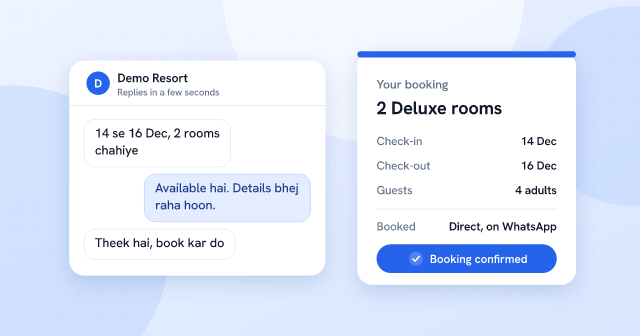
A practical path for 10-30 room hotels: share your WhatsApp number, answer fast with a full quote, take payment, then follow up within Meta's rules.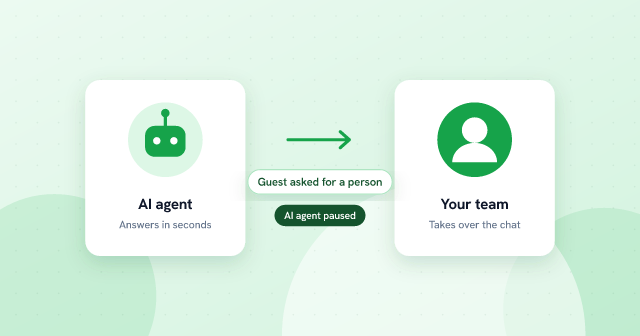 WhatsApp
When Should a Chatbot Hand Over to a Human on WhatsApp?
A practical list of when an AI agent on WhatsApp should pass the chat to your team, with Hinglish examples, a sample handover and a setup checklist.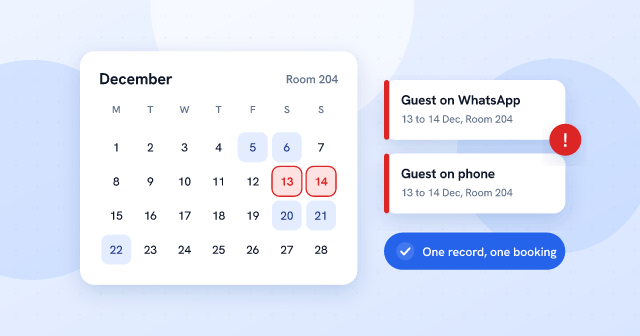 Hotels & bookings
How to Avoid Double Booking in a Hotel (WhatsApp, Phone)
A front-desk routine for hotels that sell rooms on WhatsApp and phone, with guest-facing lines in English and Hinglish and a plan for the first hour after a clash.Get started now. Live in minutes.
Put an AI agent on your WhatsApp, Instagram and website, and let your team take over any chat.